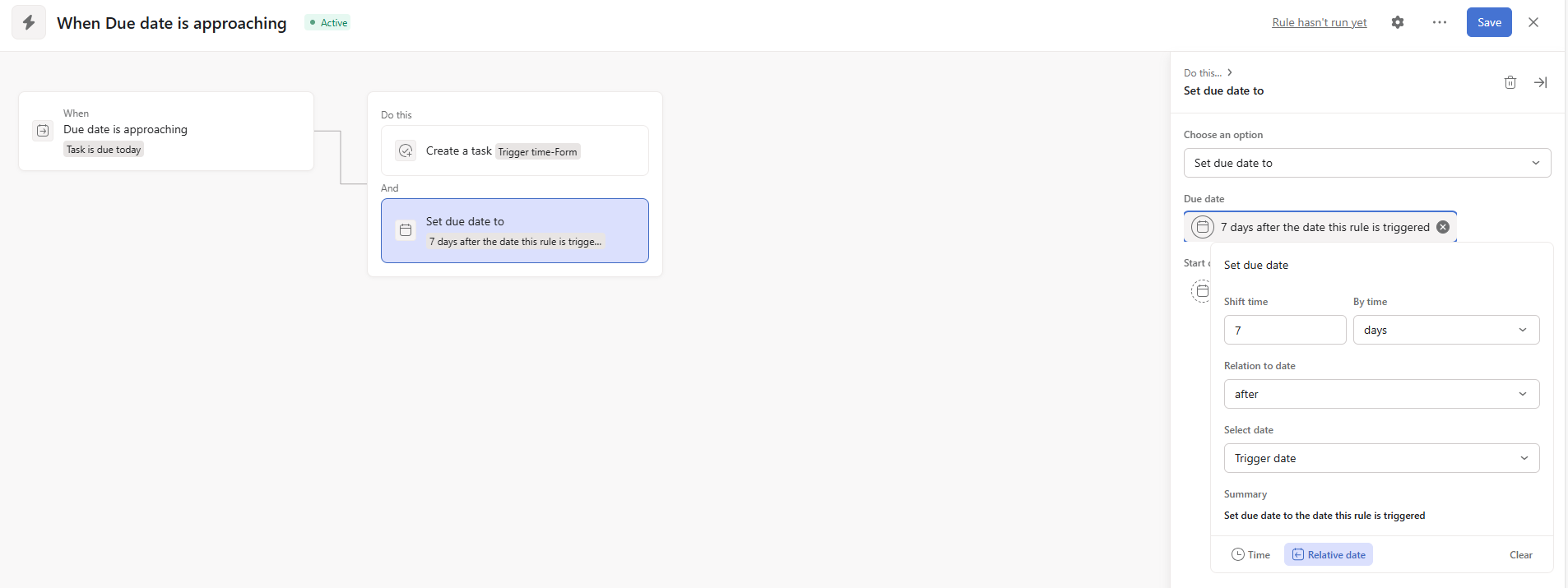
I’ve been leveraging rules in Asana to send a weekly reminder to team members that they need to submit their weekly form.
The rule is set to a recurring task due every Friday which basically says…
If due date is today, check if person assigned is X, then Do This:
Send Comment with pre-templated text “Hello @Z! It’s time to submit your form!”
Mark recurring task complete (this signals the new recurring task to be created)
Remove task from the project (since recurring task is now in place)
Rule runs fine but seems to have a mind of its own. At one point, it completely stopped running for all our team members without a specific reason (I reset the rule for every team member) and it seems to either stop running, today, or just delete the recurring task…
The task is simply a trigger and it doesn’t need to live in the project once it has served its purpose. The tasks that are key come from form submissions, which is what the trigger task is intended to remind the user of.
More simply put - I don’t want a collection of recurring “email reminder” tasks piling up in the project.
Thanks, Larry. Maybe I’m not completely understanding but my rule does work, for a period of time. Then it seems to suddenly stop after several months. Perhaps it’s just not how Asana intends to run recurring tasks so at some point, the rule breaks. I’m not too sure. That’s why I thought I’d see if other users have experienced this.
Wouldn’t you need additional info to avoid this rule running on all tasks? Like an additional condition with a custom field that confirms this as a recurring task?
You could also remove the task from te project once the rule ran.
On the other hand, I am still wondering about commenting in the task and then removing it. I do understand that completed tasks in a project may clutter, but removing it from a project does not remove it from “My Tasks” (which I think of as “kind of a project”) and continues to live there.
Still, Using rules as described may offer a solution.
My idea is that instead of “after performing an action on a repeated task, delete completed tasks”, I’d like to have a rule that “takes an action when the task’s due date approaches (notifies other people?)” and “changes the task’s due date to one week later.”
These are just rough rules, so I’d like you to add conditions and other details to suit your work.