Not by default, no. Subtasks are only attached to a project if you explicitly add them to the project.
1 Like
@Phil_Seeman any thoughts on that?
It’s not obvious, but you can use the shortcut [tab]+[p] to ad another project.
I’m referring to this Jan…,
Well, you would need some kind of trigger.
It’s a bit hard to advise you without understanding the place of this in your process, and the why behind the request.
If you’d like we can set up a call to talk it over. DM me if you’d like that. This one is on the house. 
2 Likes
love to do that. 
check DM
I don’t know of a way to automate that in native Asana.
You could do it using our Flowsana integration; what you would do is create “Bug reported by” as a text custom field, then create this rule:
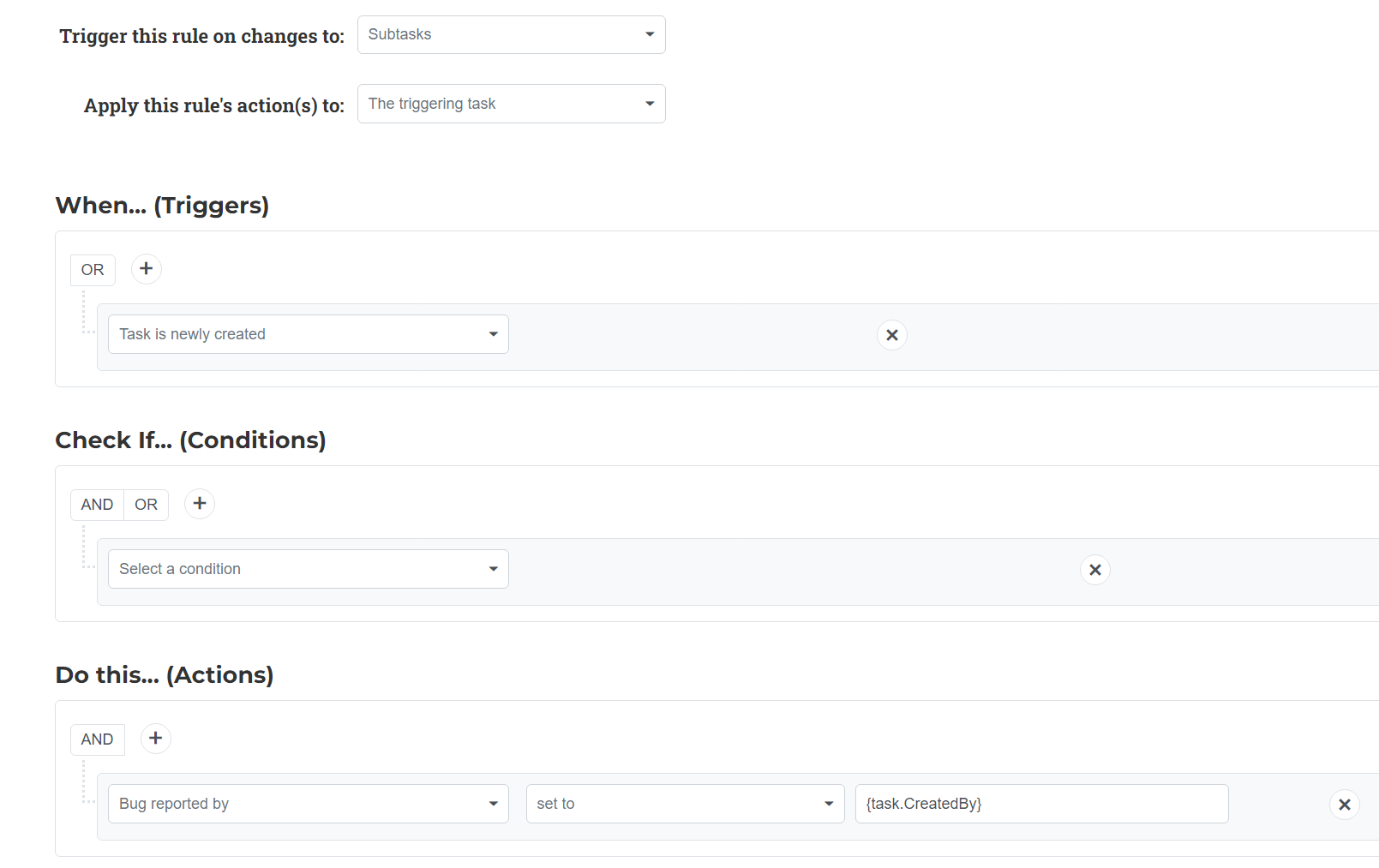
Note that this takes advantage of our Variable Substitution capability.
Just catching up on this as I have the same issue. Some of this thread is a little unclear, so let me just summarise what I think the goal is and what the issue is.
My goal is very simple: I just need subtasks to be auto assigned to me when I create them. So I’ve set up this rule:

When a task is added, check if assignee is empty and then assign to the creator. This works fine for top level tasks. I have “Run on subtasks” turned on:

But this doesn’t work for subtasks: why?
I can see that the “When” trigger literally says “when a task is added to this project” but a subtask is still a type of task. Also, given the settings control that allows me to run only on tasks, or run on both tasks and subtasks, the ”Expected” behaviour would be that the rule runs on all task types, unless the control is turned off in settings.
Failing that, has anyone else found a workaround just using Asana? I don’t really want to start using third party add-ins at the moment.
Because - technically - the subtask isn’t added to the project.
Adding it to the project (opening subtask and using shortcut tab+p) will make it visible twice. Both as a task, and as a subtask.
I agree that this is counter intuitive.
Please note that Allow to automatically add subtasks to project is currently marked considered, and would likely solve this.
2 Likes
In case you weren’t aware, as mentioned above you can do this now with Flowsana.net (@Phil_Seeman).
Thanks,
Larry
3 Likes
Thanks both, that’s helpful. I could see it was possible with Flowsana, but keen to stay with vanilla asana for now - at least until I’ve got into it a bit more.
1 Like