Table of contents:
Hi all,
I create Asana quiz in the Japan community.
It’s the 10th day of the Asana Japan Community Holiday Countdown Calendar 2025, and I’m bringing you this year’s quiz!
There are twelve (12) questions in total. I’m excited to see how many questions you can answer correctly!
How to answer:
- Log in to the Asana forum
- Click on the circle you think is the correct answer
- Click “
 ︎See the answer” to read the answer and explanation.
 - Count the number of correct answers.
Let’s get started!
【Company questions】
Question 1
What’s the name of Asana’s new CEO?

- 1 - Dan
- 2 - Dean
- 3 - Dion
- 4 - Don
See the answer
The correct answer is 1 - Dan.
He is Dan Rogers, the new CEO of Asana who took office in July 2025.
Born in the UK, he has served as an executive and CEO in many IT companies.
You can see him speak in his keynote speech at the Work Innovation Summit New York.
https://youtu.be/cOdY7eZBCGg?si=bsd5umWzb0OOQS5O&t=100
Question 2
What sport does Asana’s new CEO enjoy?
- 1 - Cricket
- 2 - Golf
- 3 - Soccer
- 4 - Tennis
See the answer
The correct answer is 4 - Tennis.
In this interview, he says that it’s a perfect transition from work and it helps him refresh.
https://youtu.be/13VaeTn2lp0?si=B50OPU1TAkhgQVgz&t=3144
Question 3
What is the name of the orange-red color used in the Asana logo?

- 1 - Begonia
- 2 - Coral
- 3 - Salmon
- 4 - Tomato
See the answer
The answer is 2 - Coral 
Since the redesign in 2015, coral has remained the main color, with slight variations in hue.
See Asana Brand Guidelines • Asana for more information.
Question 4
If a Japanese company starts using Asana, in which region will their data be stored?
- 1 - Australia
- 2 - Europe
- 3 - Japan
- 4 - United States
See the answer
The correct answer is 4 - United States.
Asana’s default data location is AWS’s US East region. More details can be found in the whitepaper at Trust at Asana • Asana.
When you check status.asana.com during an outage, you will likely want to look at the US region.
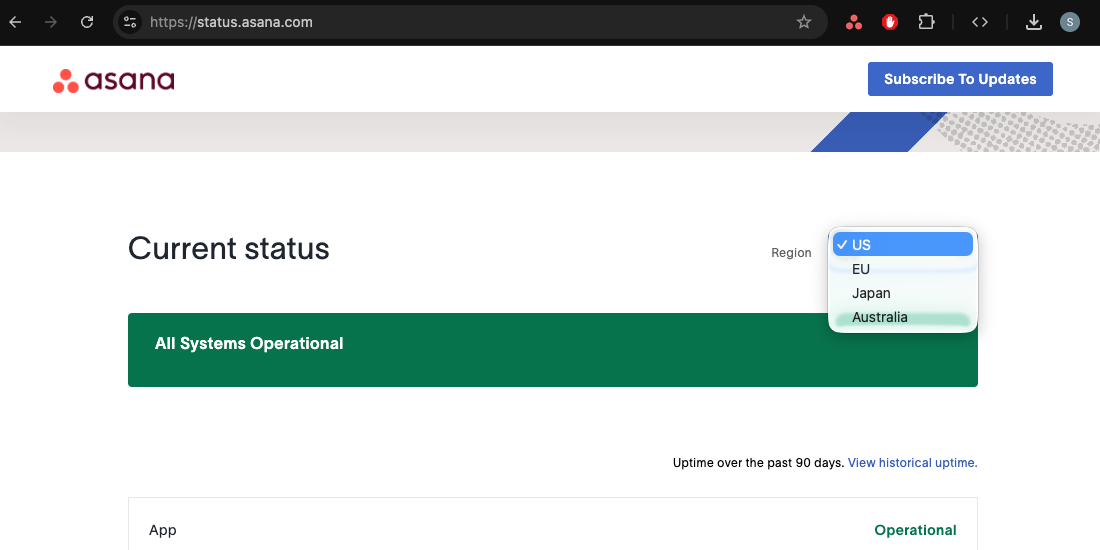
If you need to store your data in another region for security or regulatory reasons, you can request a data residency change by purchasing Enterprise+ plan or Enterprise plan + an add-on.
【Feature questions】
Question 5
What is the keyboard shortcut for setting a task assignee?
- 1 - Tab + A
- 2 - Tab + D
- 3 - Tab + I
- 4 - Tab + Z
See the answer
The correct answer is 1 - Tab + A.
The meanings of the keyboard shortcuts in the options are as follows:
- Set task assignee: Tab + A
- Set task dates: Tab + D
- Open “Inbox”: Tab + I
- Open “My Tasks”: Tab + Z
Question 6
You can now bulk expand subtasks in the project list view. What’s the keyboard shortcut for that?
- 1 - Tab + →
- 2 - Shift + Tab + ↓
- 3 - Cmd/Ctrl + Option/Alt + ←
- 4 - Cmd/Ctrl + Shift + ↑
See the answer
The correct answer is 2 - Shift + Tab + ↓.
The meanings of the keyboard shortcuts in the options are as follows:
- Open subtask details from a parent task: Tab + →
- In list view, expand subtasks in bulk: Shift + Tab + ↓
- In the desktop app, open the previous tab (tab to the left): Cmd/Ctrl + Option/Alt + ←
- In list view, move selected task(s) to the previous section: Cmd/Ctrl + Tab + ↑
Some are listed in the keyboard shortcut list (Cmd/Ctrl + /) and some are not.


Question 7
True or false? “Due date is approaching” and “Task is overdue” trigger rules can be applied to subtasks in a project.
- 1 - True
- 2 - False
See the answer
The correct answer is 1 - True.
We couldn’t do both before, but in 2025, we can now do both

Question 8
How long does a deleted task last before it’s permanently deleted?
- 1 - 1 week
- 2 - 1 month
- 3 - 1 year
- 4 - 10 years
See the answer
The correct answer is 2 - 1 month.
Tasks are permanently deleted 30 days after deletion. Until then, you can restore it.
If you manually click “Delete permanently”, the deletion will be immediate and the task can no longer be restored.
You can use “Advanced Search” to search for recently deleted tasks (Status: Deleted).
Free plan users, who don’t have access to Advanced Search, can find them at this dedicated link:
https://app.asana.com/0/search?sort=project&predefined=DeletedItemsSearch
 Related: Be sure to also try answering Q6 in Have fun learning Asana with this quiz! Version 2024 from last year!
Question 9
When searching for deleted tasks, under what conditions can they be found?
- 1 - You are a collaborator
- 2 - You created the task
- 3 - You are the assignee
- 4 - You are the project admin
See the answer
The correct answer is 2 - You created the task.
Only tasks that you created or deleted will appear in your search results.
See https://help.asana.com/s/article/recover-deleted-tasks-projects-and-more for more information.
Conversely, even if you are the assignee, collaborator, or project admin, you will not be able to find a task that someone else created and then deleted.
It’s a little scary, isn’t it?
To prevent accidental deletion, you can set the project’s access settings to commenter or viewer.
If you have an Enterprise+ plan or Enterprise plan + an add-on, you can also check the audit log.
【Advanced questions】
Question 10
In maskin (@maskin)'s article, what practice is introduced to create space in your mind?
- 1 - Brain Memory Training
- 2 - Coexistence with AI Teammates
- 3 - GTD (Getting Things Done)
- 4 - Zen Meditation
See the answer
The correct answer is 3 - GTD (Getting Things Done).
In maskin (@maskin)'s article, he writes that in this age of the rise of generative AI, the following are essential
- Mindfulness as a mental foundation
- “GTD (Getting Things Done)” as an OS for processing to-dos
- “Asana” as a platform to implement these
to free the brain from being a “memory unit” and enable it to function as a “processing unit,” and for individuals and organizations to focus their attention on creative and meaningful work.
The idea of using Asana to free up brain memory (RAM) is often discussed, but maskin’s article provides particularly detailed practical methods, so it’s a highly recommended read!
Every Monday morning (Japan time), we hold Asana Refresh Morning (ARM), a virtual co-working session aimed at organizing your Asana My Tasks, so please feel free to take advantage of the event.
Please also check out the calendar-contributing article by @YUKI_YANO, the organizer of ARM!
Question 11
In Larry (@Larry_Berger_lpb)'s article, what does he recommend for building sound Asana habits?
- 1 - Turn off notifications for when tasks are added to projects
- 2 - Check notifications on the Home tab
- 3 - Use My Tasks with the default settings
- 4 - All of the above
See the answer
The correct answer is 1 - Turn off notifications for when tasks are added to projects.
Larry’s article in the English calendar is full of tips for getting your Asana foundation in order to welcome 2026 on a good note.
- Let’s check our Inbox for notifications and archive them when you’re done reading them.
- My Tasks is super important, so read best practices and customize it to suit you.
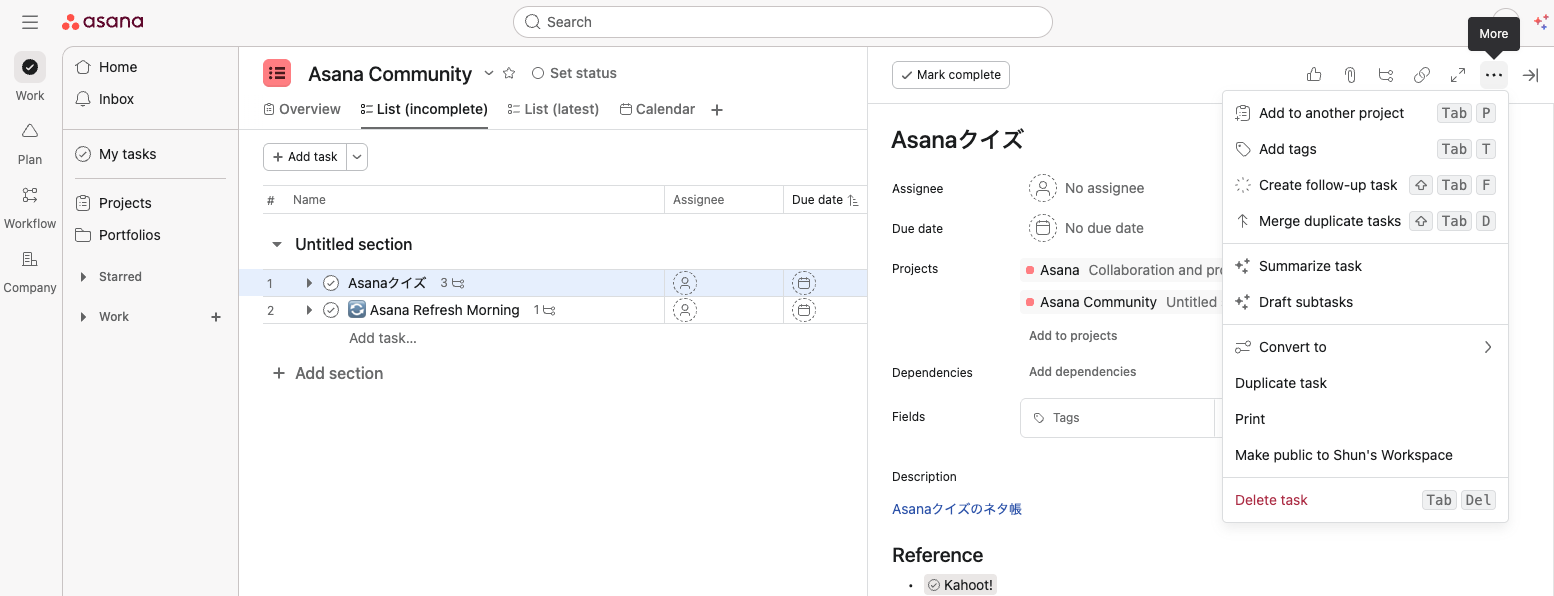
Question 12
Approximately, how many UI strings are there in the Asana app?
UI text are on-screen labels, button text, instructions, error messages, etc.
Almost all on-screen text that users cannot customize is UI text.
- 1 - 3,500
- 2 - 35,000
- 3 - 350,000
- 4 - 3,500,000
See the answer
The correct answer is 2 - 35,000.
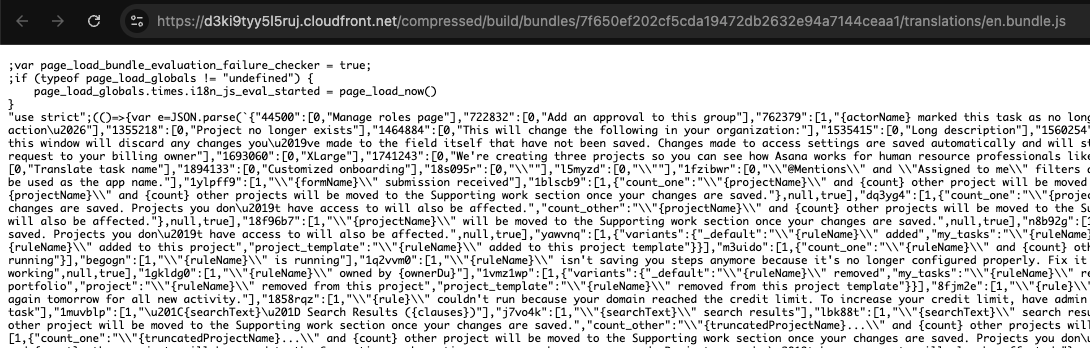
If you take a look at the source code of app.asana.com and open the file language name.bundle.js, you can see a list of strings provided for the UI.
It’s roughly 300k words, 2 million characters, and several MB of data!
【Wrap-up】
Thank you for your time and patience today!
How many questions did you answer correctly?
It’d be great if you can share your impressions and thoughts in replies or on the social media. Please be careful not to disclose answers before others challenge the quizzes!
Had fun, interested, want to learn more about Asana? We welcome you to the Asana community.
The English version of the calendar also includes a quiz about AI, so be sure to give it a try.
See you next year then 
Japanese version: 楽しく学べるAsanaクイズに挑戦!2025年版
Previous versions:
