The Filter for Incomplete tasks works similarly in List and Board views.
In Board view, setting this:
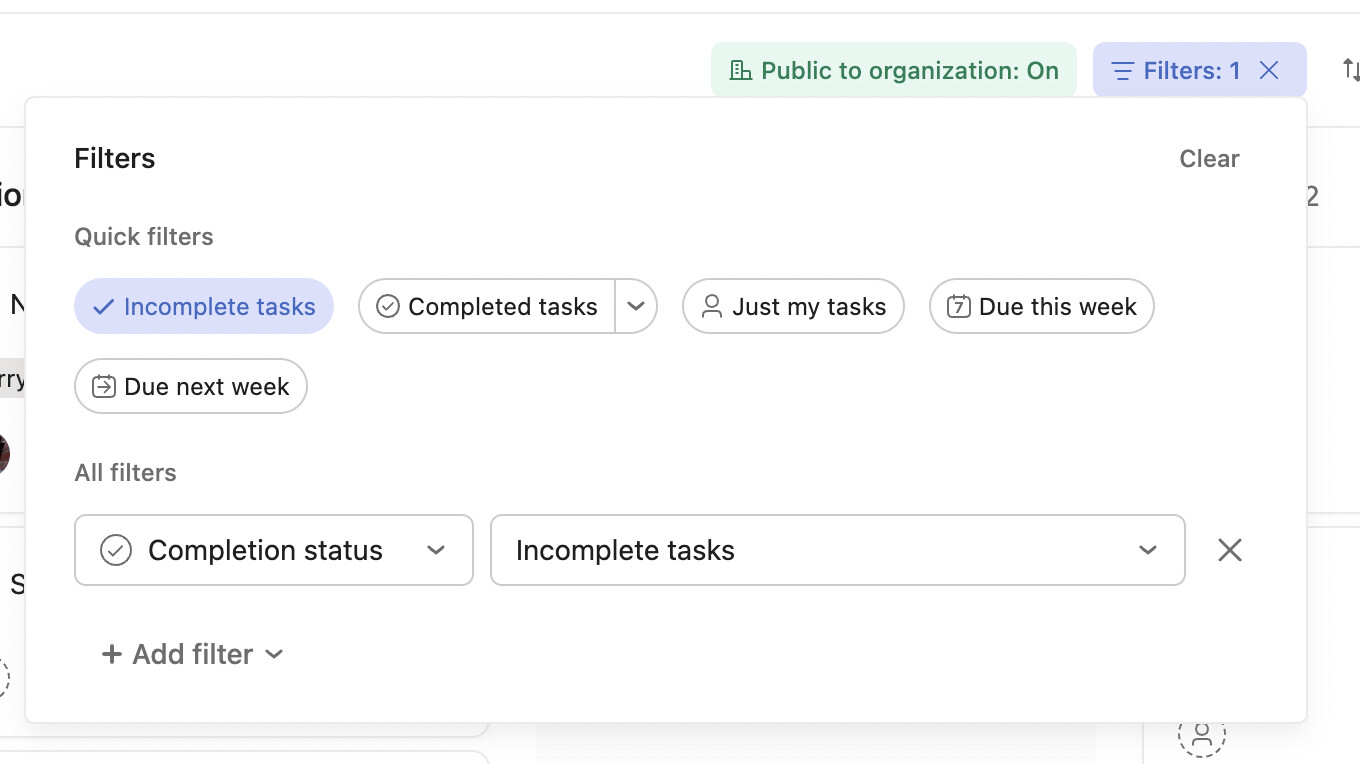
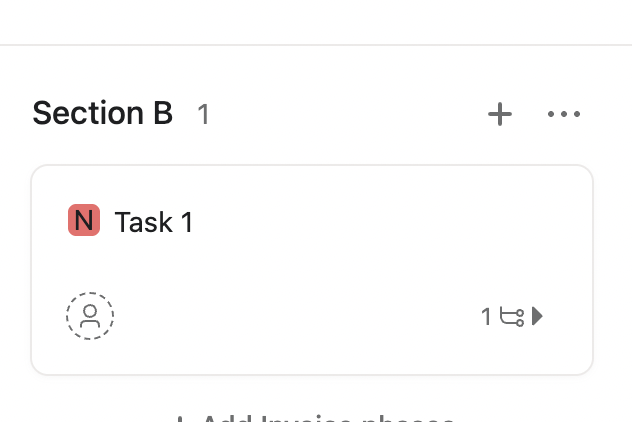
Results in hiding completed subtasks. There are actually two subtasks here, one completed:
Thanks,
Larry
The Filter for Incomplete tasks works similarly in List and Board views.
In Board view, setting this:
Results in hiding completed subtasks. There are actually two subtasks here, one completed:
Thanks,
Larry
Hi Larry,
Thanks for your response! My concern is that on the Board view, you only see a snippet of the subtasks unless you open the task details. And, in this view, the completed subtasks still appear even with the filter.
I will just switch to the checklist view to view any incomplete tasks. Thanks again!
Thanks; it sounds like List view will better suit your needs.
It seems like we’re experiencing different results here, based on my last post.
Thanks,
Larry
Just checking in to see if there is any update that anyone has seen on getting this issue solved?
This is an annoyance for me too - would love to see this feature