I am trying to add multiple projects to one portfolio. There are only 4 users in our entire team. I am the one who creates all projects and manages the portfolios. I am using the desktop version. As far as I can tell, I have the same permissions set for all projects, as I use the same template when creating a new project.
When in the Portfolio, I click “ADD WORK” and type in the first 4 letters of the project title. I have many projects with the same first four letters in the project name: MSQC. This is followed by a 5 digit number. So the project name could be MSQC 12345.
I can easily find about 7 of the projects by simply typing MSQC in the search under ADD WORK. But then it stops returning results. There are 31 projects overall. I can find them if I search the 5 digits. This requires that I reference a separate list of project numbers, which is quite tedious.
I get the same result when using the web version.
I do NOT want to use a third party add on. I don’t want to use AI. I don’t want to learn to write code. I just want to know how to fix the issue within Asana.
One trick that works in a lot of different places in Asana is to copy the project link and paste it in the field, which will autocomplete to only show that specific project. You can also do it the other way around by opening the product menu and clicking on Add to Portfolio.
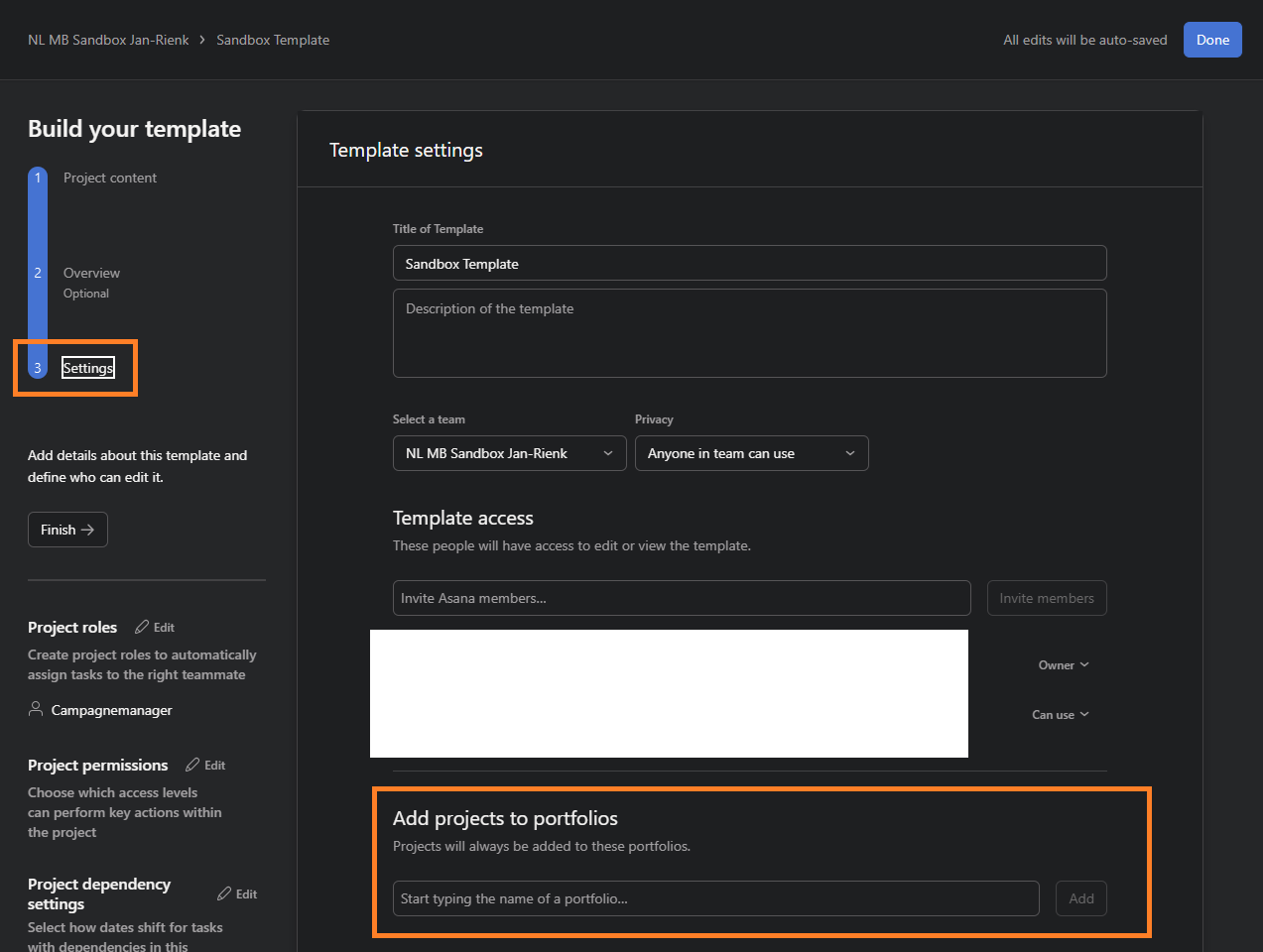
@Louise_Duffy Adding to @Bastien_Siebman, if you’re using a template (and all projects should end up in the same portfolio) you could also set the portfolio these should be added to in the template settings.
Please note this currently requires the person using the templates to have edit access to the portfolio in question.
The whole point of my circumstance is that I am not sure how many different projects need to be added to the portfolio. So I am searching by keywords in the project name to add them.
Thanks for sharing your use case, I am working on a brand new version of http://tools.ido-clarity.com and it could be part of it (in the upcoming months)
If you are willing to be an alpha tester, it could be in a matter of days
We are a very very small team. I am not sure that this issue really requires a consultant to assist. But I appreciate the offer. I do have a close friend with a larger team considering Asana. I could send her your info.
 Please note this currently requires the person using the templates to have edit access to the portfolio in question.