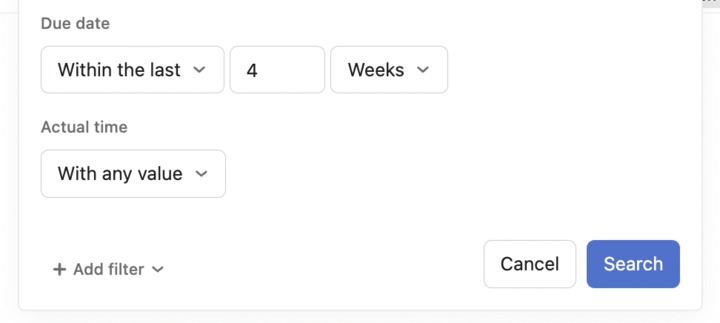
Is there a way to export the actual time date as well as the timestamp for when actual time is entered? From a workforce planning perspective being able to see via a data export the date time is being entered for as well as when it is being entered would be extremely helpful but I haven’t been able to find a way to see this information.
@lpb Ooh! But… that first link says “It is possible to import and export time tracking values via CSV.” and that’s it. It doesn’t say HOW to export time entries, and I can’t find it. How did you get to it?
I’d found that first link, and exported a project. But rows from that export are tasks, not time entries. Each row has the sum of time tracked for that whole task.
But I need to be able to submit invoices to clients for time tracked that week, so I need individual time entries.
(Also, I’d love some way to export the whole org and drum up my own per-week summary so I can make sure people are tracking healthily.)
And the second link… sorry, I’m not concerned with importing (I was just quoting from above), but thank you!
If I recall, there’s currently no support for getting to the entries that sum up a task’s or subtask’s time other than in the UI.
Potential workarounds would be to use subtasks (or tasks) for each week’s times (subtasks would be easier because those times roll up to the task level, but I can’t recall offhand if there are any “gotcha” scenarios here to be aware of so test this first if you consider it).
Asana2Go (disclaimer: I’m the creator) offers some flexibility with CSV but not sure that’s necessary or helpful here; depends.
Awdang. So this gets me no closer. There isn’t even a giant “EXPORT EVERYTHING” button that I could then set up some spreadsheet-fu to dissect? Blah, Asana. It’s 2023 and you’re an industry-leading PM platform and I can’t see time entries? Oh dear.
thanks Larry, I should have been clearer - the ‘timeframe’ I need to report on is when time was entered, not the due date.
Time entered date is a filter on the reporting dashboard (although I can’t click into the dashboard itself - see loom video above), but time entered date is not a filter on the advanced search.
Reply from me (Larry):
Right, I don’t think that’s available yet without custom coding (it’s available in the API, I believe).
Any update on allowing actual time mods, including using a start timer, on the mobile platform? Not having this feature on mobile is causing me a problem.
I am also interested in this exact issue. We need a way to show itemized breakdown of actual time- what tasks were done and how much time was spent on each task. Right now it only does an overall time (such as 1 day 34 mins) but there is no further details. We’re looking for a way to replace Everhour as a timesheet. Is there any word on this type of feature being added to Asana’s actual time?
Asana folks deliver new information, when available, in the Forum. It’s good to follow the threads you’re interested in, and News; you can “watch” these.
Hi! Just a quick question about this: what is the intended usage of this feature, wherein someone else can log their time to a task not assigned to them?
@Rebecca_McGrath Does this feature include the ability to prevent modifying Time entries for tasks? But if we can’t avoid it, will there be a feature/custom rule that notifies an admin if a Time entry has been changed?
@Trisha_Saromines we have contributors often help on a single task (1 person remains ultimately responsible for leading the task, but it’s a team effort). They all time their contribution on that single task so we know the resource cost.