If we create a form, the fields are automatically pre-populated with english text (ex. “Enter your name”). Is there a way to choose what language you want in these pre-populated text fields?
I am wondering if this is an easy change in Asana to allow the user to put in the language of their choice in the field. As a bilingual organization, it is important to our users that we give fully bilingual user experiences and this limits our ability to provide that.
I have a similar problem.
Although my selected language in the profile settings/display is set on “English”, the prepopulated answer fields of a form I just created still show up in German (I am from Austria, so maybe the IP??).
As I am sending the form to an english speaker, that causes problems.
Can I change the language somewhere?
I would like to be able to create a project form in multiple languages so those submitting can choose which language they prefer. This would not create a second form, although that would also be nice, but just be a label of the same description that is overlaid to display another language with a language select dropdown at the top of the form.
Hi @Jeff.barkun, thanks for taking the time to provide this feedback!
We do have an existing thread for this feature request in the #productfeedback category so I’ve gone ahead and merged your post with the existing one to consolidate feedback.
I’ll keep you posted and let you know if I have any updates
Is the product feedback specifically for the language in the form fields? Currently if I would like to embed a form to a website for external submissions, then I would need to create a dropdown for each language and rebuild the branches for every language - Is there an easier way to do this?
For an international organization this is a near-impossible task
Chrome’s native translate functionality doesn’t work for Asana forms, otherwise this wouldn’t be an issue.
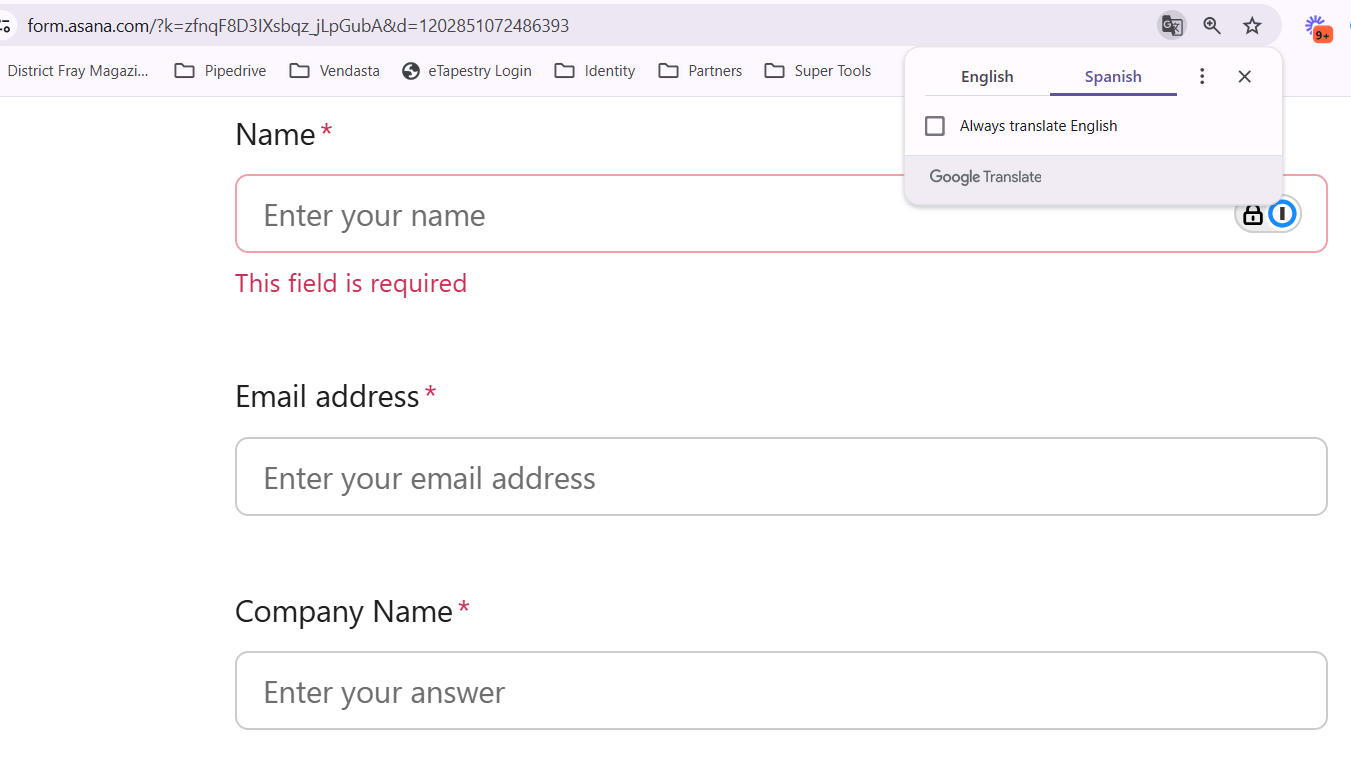
We’ve created two versions of a form for one of our projects—one in English and one in Irish. In both versions, the input fields are prepopulated with placeholder text such as “Enter your answer” or “Enter your name,” as shown in the attached screenshot.
Is there a way to disable or remove these default placeholders from the form?
Hi @Niamh_Mackin welcome to the Asana community.
I don’t see the attached screenshot can you try uploading it again?
At the same time, I’m trying to envision what these placeholders you speak of as that just what they are is there no way for you to replace it with someone else?
You can also try adding a blank character to the field https://emptycharacter.com so nothing actually appears in the field.
As for the “Enter your name” text this is from the default preset form you have to simply remove it and add your own, however it will then revert back to the “Enter your answer” placeholder text which is what you want to change.
At the moment it’s currently not possible to edit the placeholder text outright, however there’s currently a topic in our English Forum > Product Feedback forum where you can vote for this functionality to be possible. I suggest you cast your vote to the topic below so something like this can get more visibility
This would be something nice to have it can make forms feel a lot more personal. I didn’t really think too much about it until now I hope that helps.



 I hope that helps.