I saw your comment, but what I would like is a relative due date option in the “check if” portion of rule building. I’m looking to route tasks into projects or sections based on the due date of the task, not just sort by date. Having a relative due date option for “check if” would allow people to apply other actions besides just moving things to another section.
@Susan_Pace - I renamed the post to reflect the actual request (conditions vs. rule actions). Make sure you use the vote button near the title (I just did) to support a native solution for this.
In the meantime, as others have mentioned, this is pretty straightforward to do with AI (I agree it should be built native as it’s kind of a waste of AI imo). If you are on an enterprise account, this is also simple for a script action, although you’ll need to either know JS or have an LLM help you with that option.
Thanks, @Stephen_Li . I asked my super-admin about adding AI studio, but there are apparently some concerns among leadership about turning it on. :-/ We do have an enterprise account, so I’ll look into script actions, which is not something I have been aware of up to now.
Totally hear you on the AI front (my org also doesn’t enable it). For script actions, the documentation is here. If you do have access to an LLM (or better yet, a human dev who can write this for you), it shouldn’t be too complicated to get set up.
I might not be reading the original post (and comments) right, but the way I’m understanding this, a custom field could help!
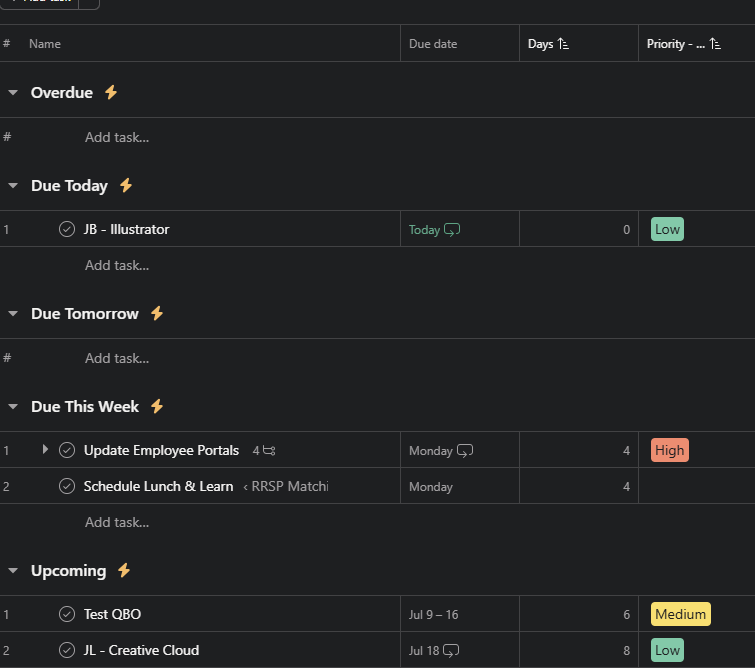
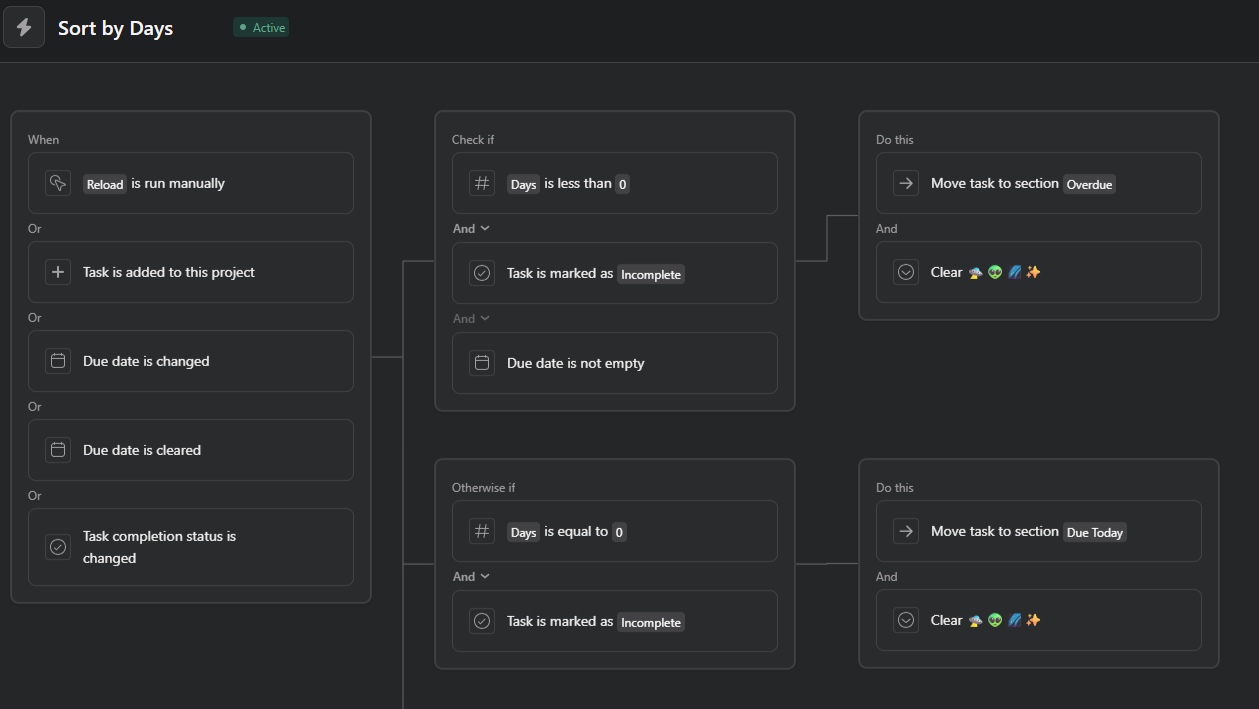
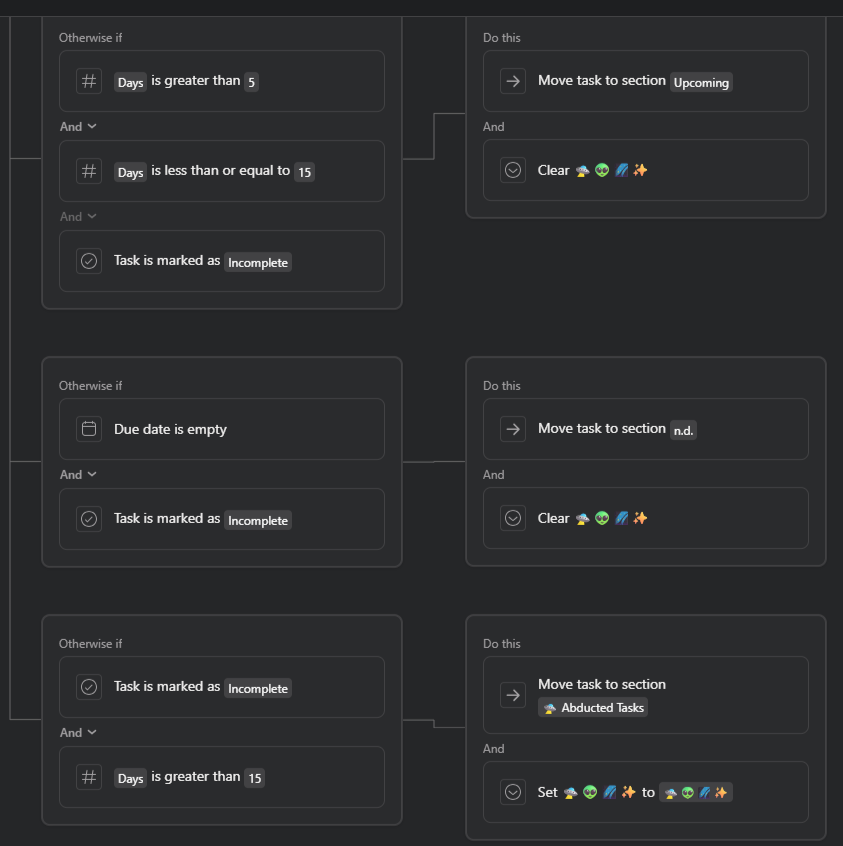
I created a custom formula field that I just named “Days” and use that in my rule to sort my tasks. So when a task is due today, the “Days” custom field would be 0, and based on my rule, the task should appear under my “Due Today” section.
Custom Field Formula: [[$DIVIDE_FUNCTION]]([[$SUBTRACT_FUNCTION]]([[$DUE_DATE]], [[$TODAY]]), 1440) + 0
^Formula credits to @Richard_Sather and his custom field templates!
Screenshots of task organization and the rule: