Or more accurately: What I wish someone had explained to me in my first week.
An Asana project is not a folder, but a label.

We’re used to organising digital stuff in folders.
And that’s the blueprint all other work management tools (that I know of) have used for organising projects:
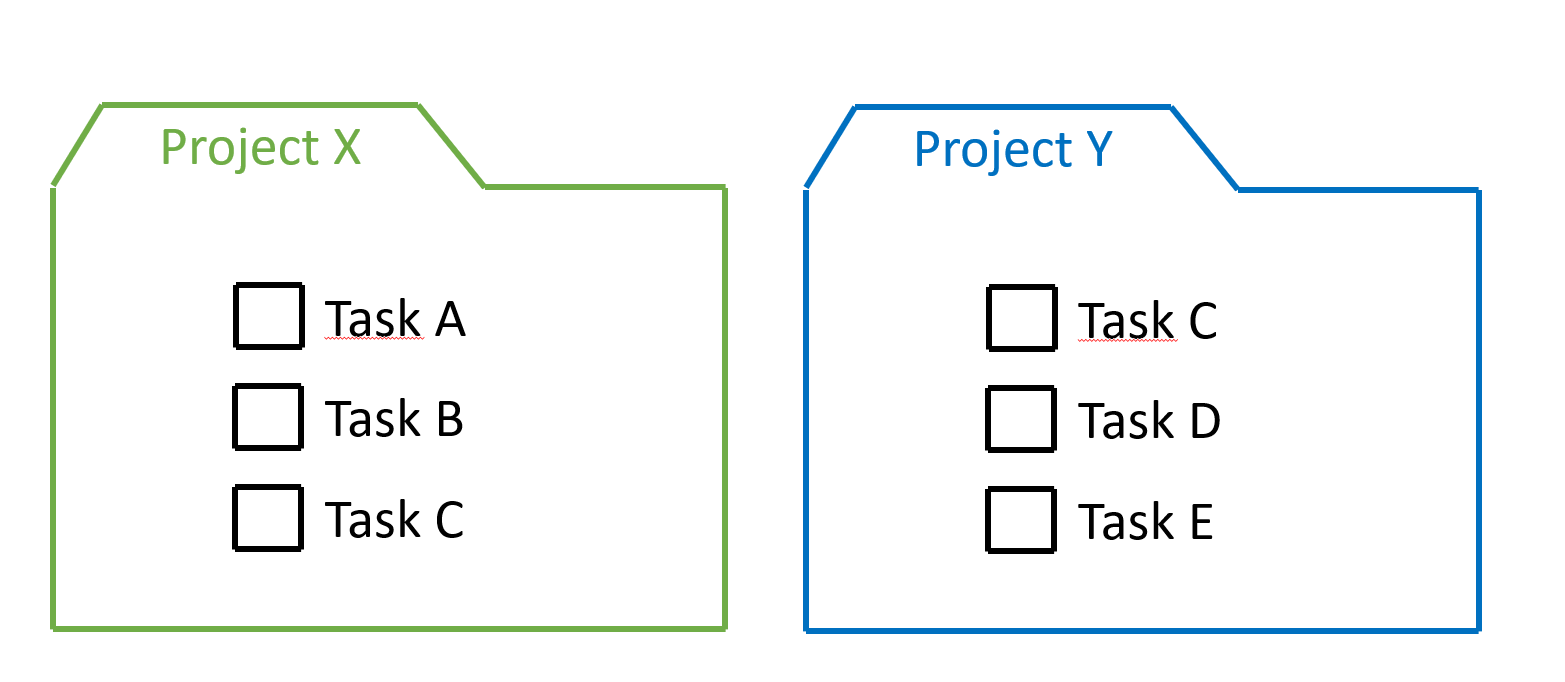
That’s quite limiting though, because you have to choose that one exact folder. And you can’t put something in multiple folders without duplicating it.
Duplicating information (for purposes other than backing up the information) is never a good idea. Especially if the information should reflect the current status of things.
So if a task is relevant for multiple projects, you’re going to have to put effort in maintaining the information in multiple places:

That’s not only wasteful, it increases the chance of errors.
Thankfully, Asana is a bit different from other tools, and you should look at projects as a label applied to a task, rather than a folder containing tasks.
Asana calls this “Multi-homing”.

Because it’s more like a label, opening a project is effectively filtering all tasks to see just the tasks that have the project’s label applied to it.
This also means that the task is not a duplicate, and all attributes (completion state/comments/etc.) are in sync across projects.
An example
Let’s assume you own multiple properties that you rent out.
For the work related to the property, you’ve created a project for each.
That’s convenient for when you’re at that property, because you can then just open the project that has the tasks for that property and see everything that needs doing.
But now let’s say you have a team doing maintenance. For them it makes more sense to have a project that has all maintenance tasks, so they can plan accordingly.
With Asana, you can do both, without needing to copy the work:

This way you can be sure of having the latest information about the status of the work, no matter whether you are looking at the property project, or the maintenance project.
Here is how that could look in Asana.
If you open the “Replace living room lightbulb” task, you’d see both projects:

You can click “add to projects” or tab+p to add the task to more projects.
This is what you’d see at the property project:

And maintenance would have an overview of their tasks in their project:
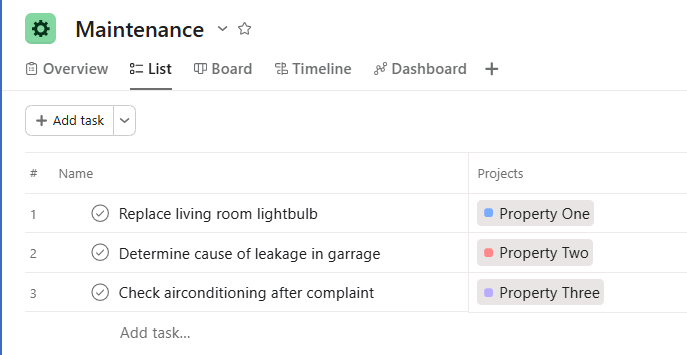
You probably don’t see the “Projects” column, because it isn’t visible by default. It is quite helpful to see at a glance which projects tasks are added to.
Enable it by going to “Options”:
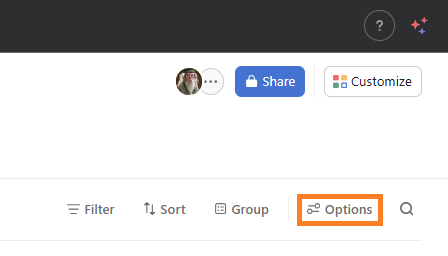
Then select “Projects” and “Save view”.

I hope this post helped you get a better understanding of multi-homing, and when/how it can be useful.
Jan-Rienk Hemminga - Asana Expert & Partner @ Improving Every Day