Hi everyone! 
I’m Ben Graney Green, a Solution Architect at Asana. I work with our API, integrations, and other advanced features to build solutions with Asana customers!
Today I want to share a trick I often use for distributing script actions across multiple projects using Bundles. This technique has been a game-changer for us deploying solutions internally, “solution-ing” with customers using Asana, and for our Services teams deploying Asana at scale.
Quick Intro to Script Actions
If you haven’t explored Script Actions yet, they’re one of Asana’s most powerful automation features. You can write custom JavaScript to do some pretty amazing things, such as
- Enforce business logic, like approval routing and hierarchies
- Calculate complex values
- Connect multiple work graph objects automatically, like linking task values to goal metrics
- Transform task data dynamically
Check out the official examples and GitHub repository for more inspiration!
Deploying Automations at Scale with Script Actions
Despite their power, rules containing app actions (including script actions) can’t be distributed broadly via bundles yet. So if you’ve built an amazing script action, you might be wondering how to deploy it across your entire organization without recreating it in every project.
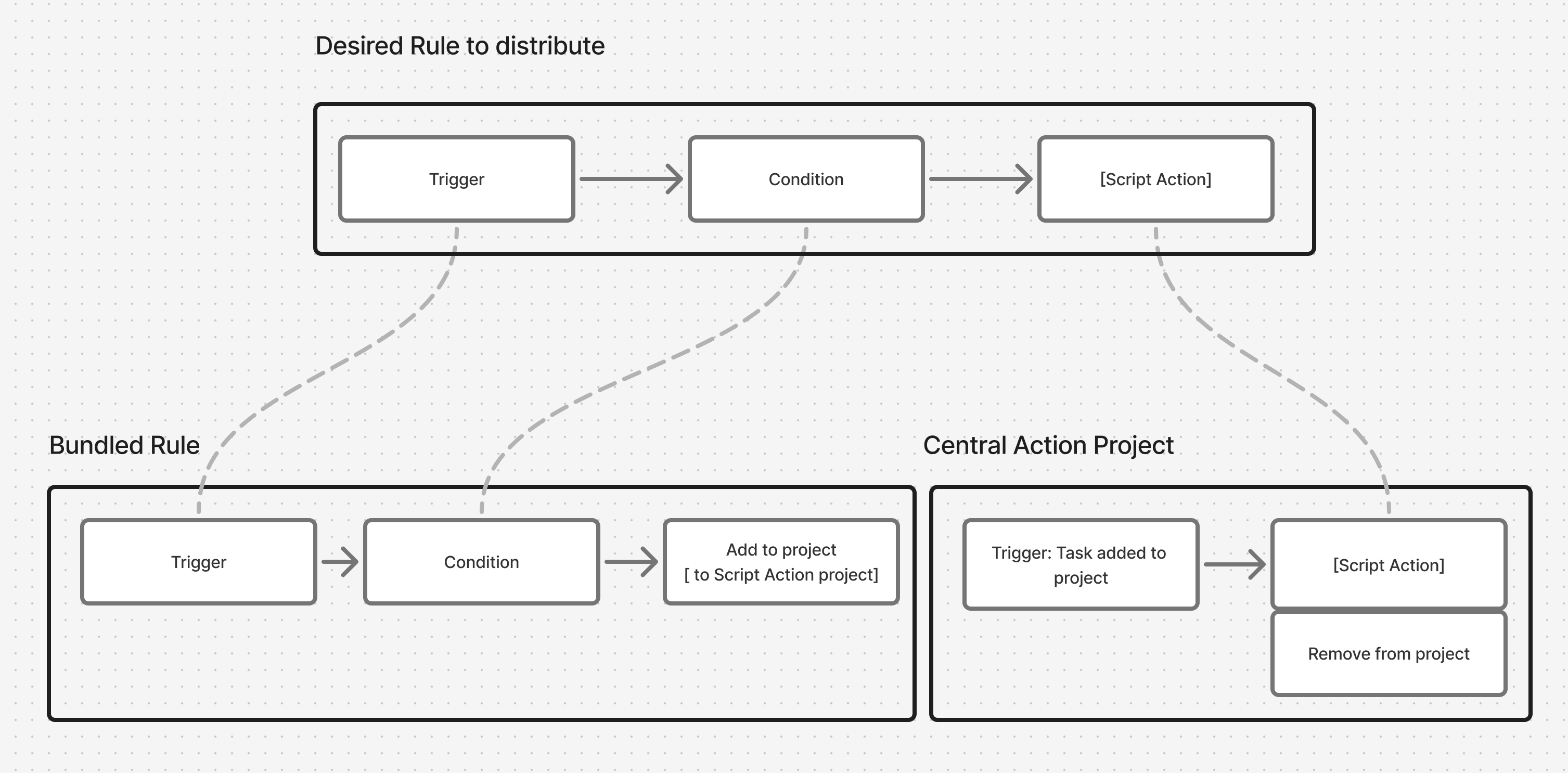
The trick is to use another Asana superpower we call “multi-homing”: the ability to add tasks to multiple projects. Instead of adding the script action to every project, create a single project where you’ll maintain the script and its rule, and use a bundled rule to multi-home tasks into that central project.
Essentially, you can split your automation into two pieces:
- A central “action” project to house the script action, which is triggered when a task is added to the project or section.
- A bundle that uses the “add task to project” action wherever you’d want to invoke your script
Here’s a visual of how this works:
Setup:
 Create a Script Action Project
Create a dedicated project called something like “Script Actions Hub” where all your script rules for a workflow will live.
 Add Your Script Rule
In this project, create a rule:
- Trigger: Task added to project (or section, if you have multiple scripts)
- Action: Run your script action
- Action: Remove from project (keeps things tidy!)
 Create Your Bundle Rule
In your bundle:
- Trigger: Your desired trigger (e.g., “Approval status changed”)
- Action: Add to “Script Actions Hub” project
Note that if your script relies on using custom fields, you can also add these fields to the bundle as well.
 Deploy Everywhere
Apply the bundle to all your projects. Done! 
Real Example: Approval Enforcement
Let’s say you want to ensure only assigned approvers can approve tasks, and enforce that across a whole portfolio. Here’s how it works with a central “Script Actions” project
In a Bundle, create a rule as follows:
-
When: Approval status changes
-
Do This: Add to “Approval Enforcement” project
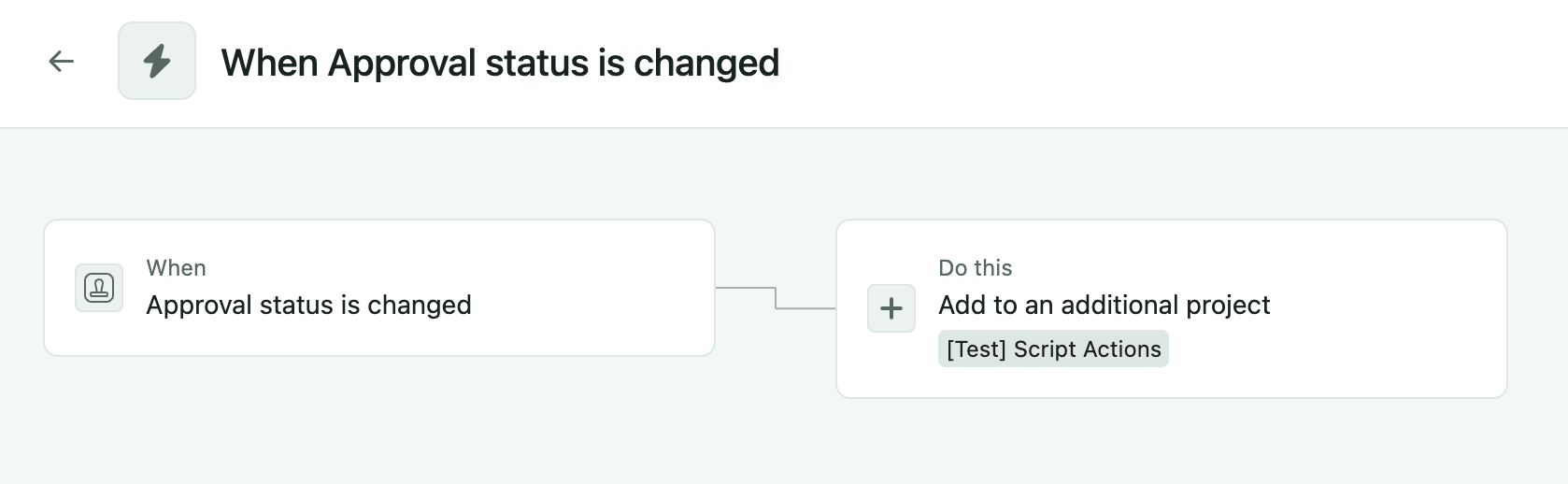
Then, in the “Script Actions” Project, create a rule as follows:
-
When: Task added to this project
-
Do This:
- Run script to validate that task “completed by” == Assignee
- Remove from project
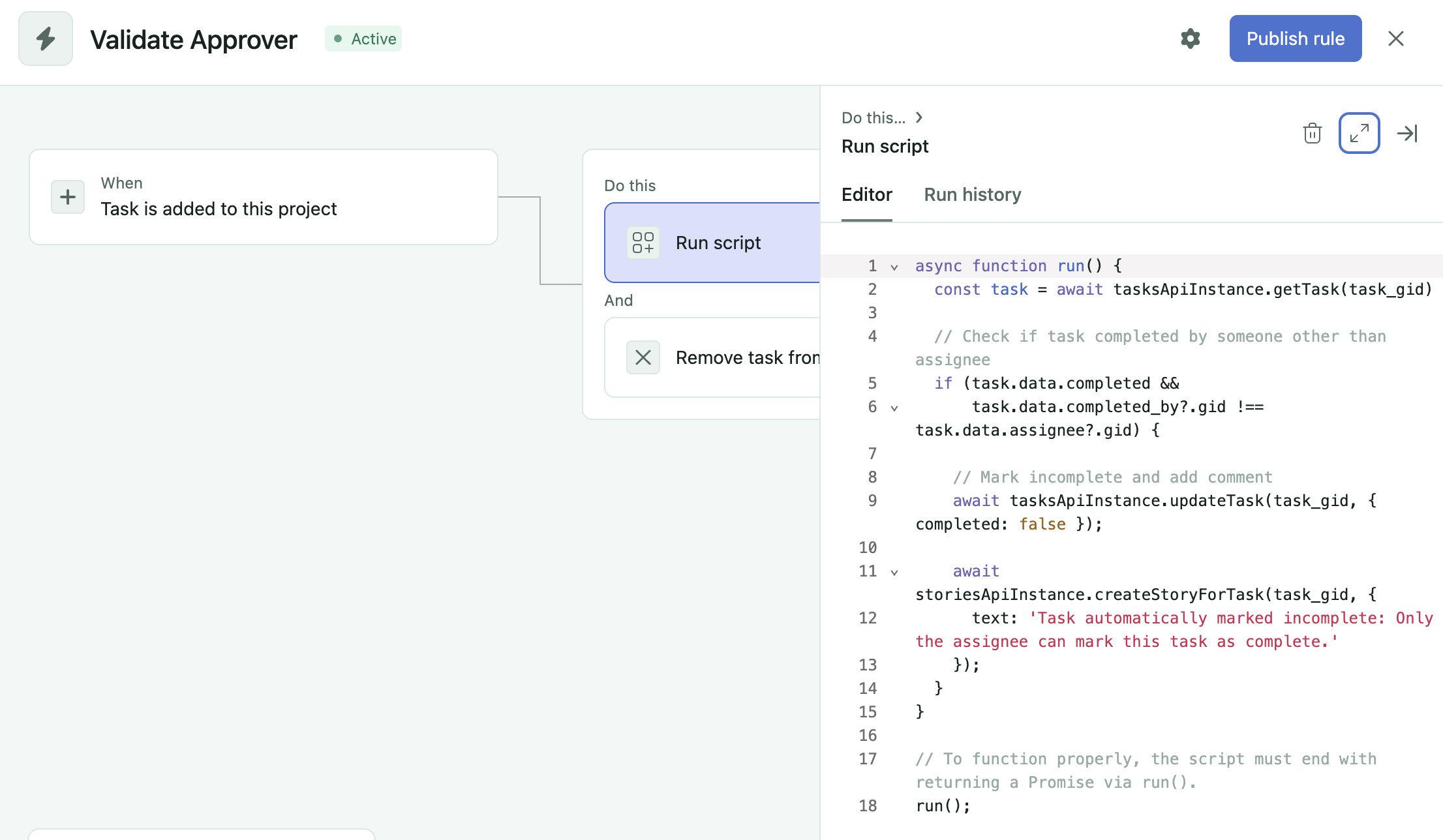
For reference that script is:
async function run() {
   const task = await tasksApiInstance.getTask(task_gid)

   // Check if task completed by someone other than assignee

   if(
      task.data.completed
      && task.data.completed_by?.gid !== task.data.assignee?.gid
   ){
      // Mark incomplete and add comment

      await tasksApiInstance.updateTask(task_gid, {
         completed: false });

      await storiesApiInstance.createStoryForTask(task_gid, {
         text: 'Task automatically marked incomplete: Only
            the assignee can mark this task as complete.'
      });
   }
}

run()
The script checks if the person approving matches the assignee, and reverts the approval if not. Simple but powerful!
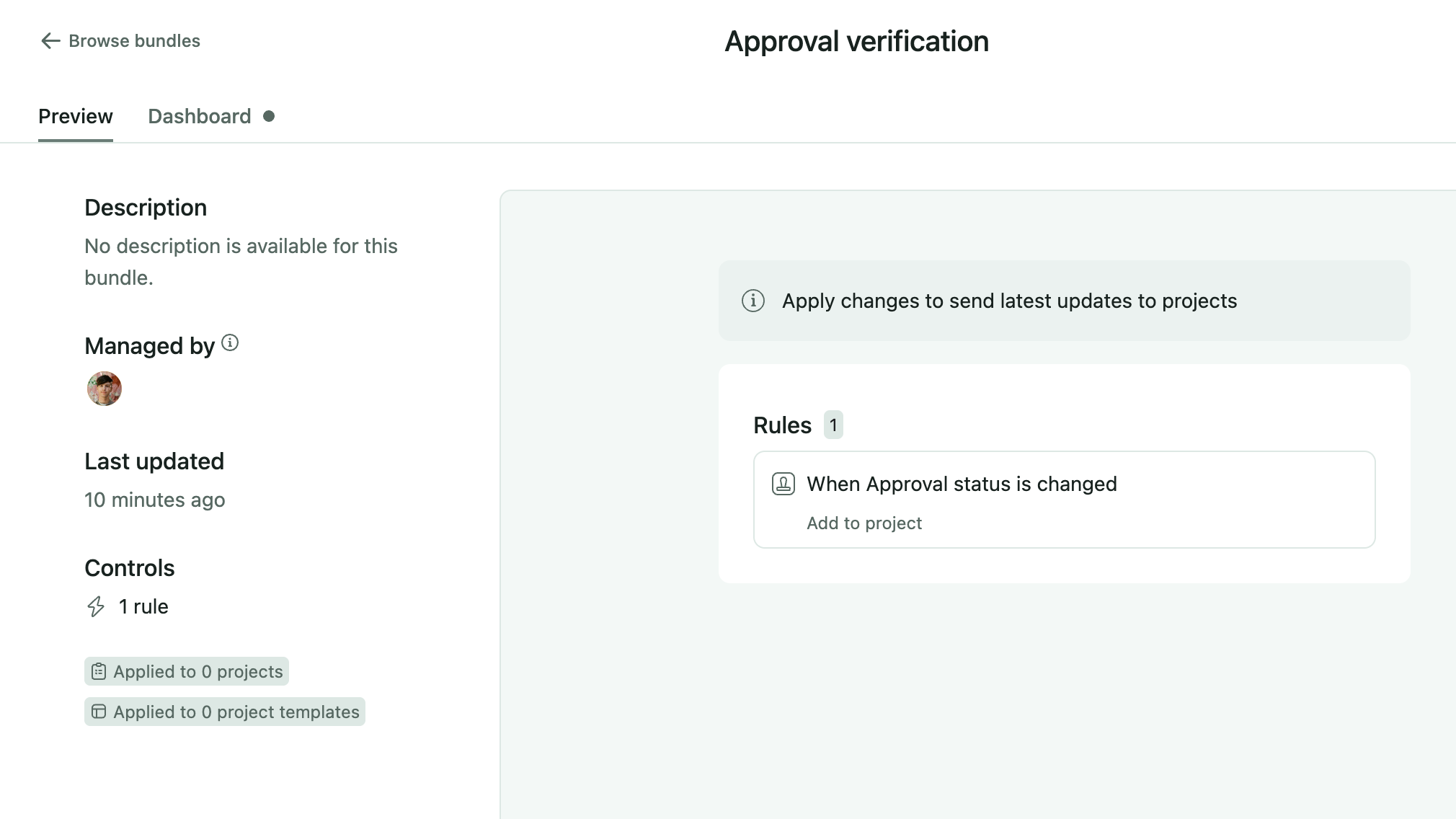
Now we can distribute the approval verification to portfolios of projects at scale.
Why This Works Well
 Scale instantly - Deploy to unlimited projects via bundles
Maintain once - Update scripts and view logs in one central location
Stay organized - Projects stay clean, scripts stay centralized
Debug easily - Failed tasks can remain in the script project for review
Additional Tips
- Name your script project or sections clearly (e.g., “Approval Scripts”, “Calculation Scripts”)
- Add the “remove from project” action at the end to keep the script project clean
- Distribute any custom fields or other rules that the script relies on via the bundle.
- You can bundle multiple script actions in the same workflow this way by routing to different projects or different project sections
Try It Yourself!
This pattern opens up so many possibilities for automation at scale. Whether you’re enforcing governance rules, calculating custom fields, or integrating with external systems, you can now distribute these powerful automations across your entire workspace.
What script actions would you like to distribute across your projects? Drop your use cases in the comments - I’d love to hear what you’re building!
Happy automating! 
– Ben GG
P.S. - If you’re new to script actions, start with something simple like field validation, then work your way up to more complex automations. The examples repository is a great place to find starter code!
