Would love the ability for the task created by a form submission to inherit its due date from a date field in the form response. Alternatively/additionally, being able to automate a task due date in connection to a custom field would be handy.
HI @Jaqueline , this is currently possible in forms. You can add a ‘Date’ question to your form and connect it to the Due date of the task, either a single day (just due date) or Date range (start & due date)
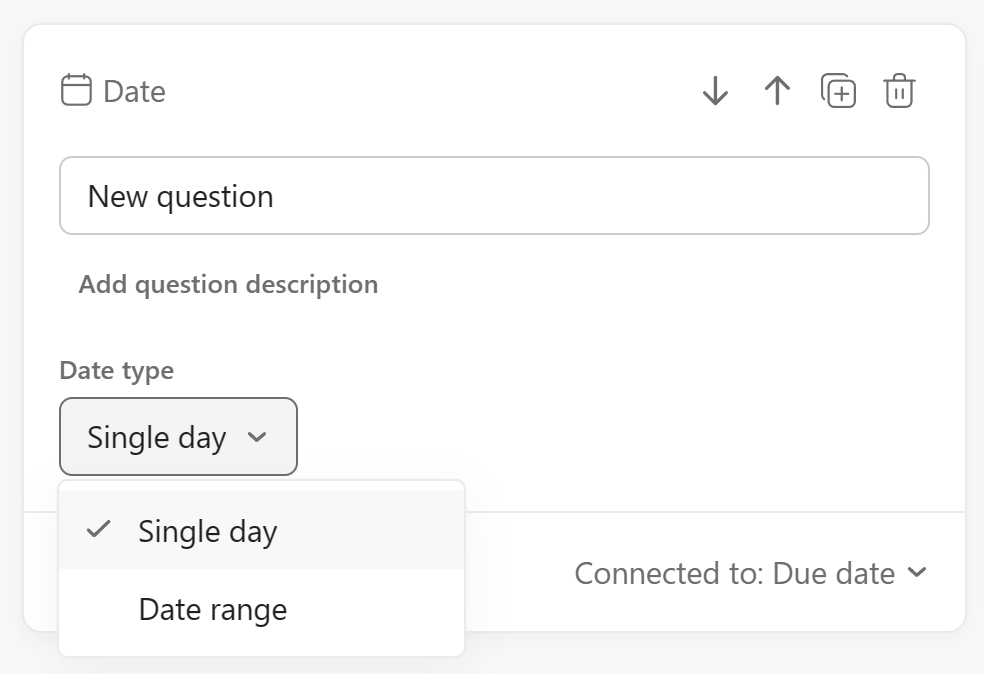
Not entirely clear what you mean by this.. would you like to elaborate?
Ah! How did I miss this!? Thank you!
Use case: we have an intake form for coupon requests where we ask the submitter for the coupon duration (start date and expiration date). The form submission creates a parent task to create the coupon where its due date is associated with the coupon start date. I have custom field for “Coupon Expiration Date” that is populated via form response — I’d like to automate the creation of a subtask to deactivate the coupon where its due date is tied to the Coupon Expiration Date custom field.
Hi @Jaqueline , you almost made my head explode 
Upon 2nd read through, you could create a custom rule (Business Plan +) as per below…
In the triggers pane, scroll down to ‘Task timing’ section and choose ‘Due date is approaching’
In the actions pane, scroll down to ‘Create new’ section and choose ‘Subtasks’
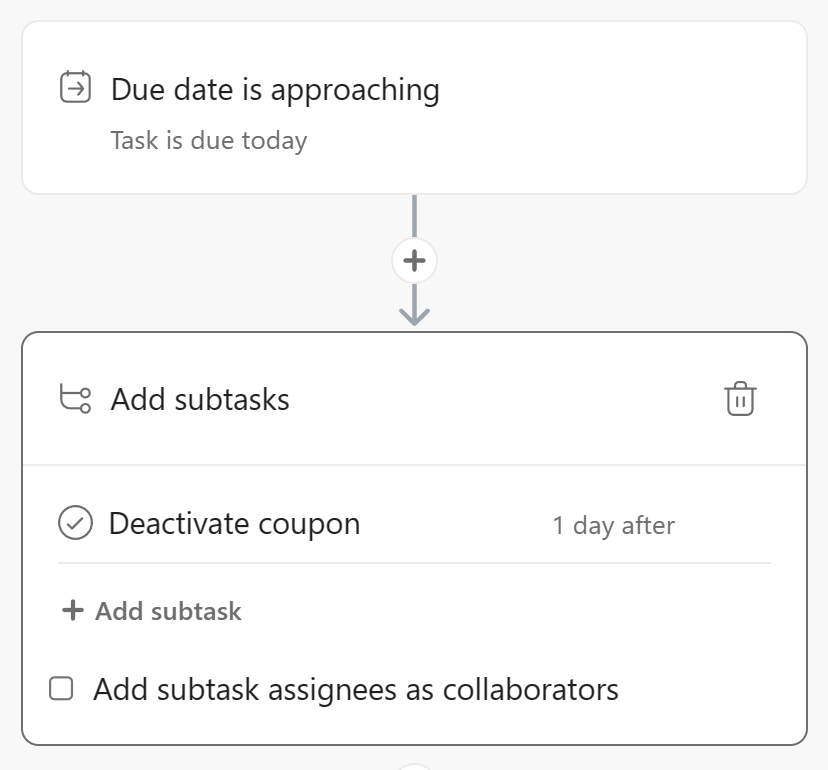
(you can edit the subtask as you like, similar to a task template)
If the coupon’s validity is the task’s start & due date, then I don’t see why you need a separate custom date field for ‘Expiration date’, right? Unless I have misunderstood… 
I’m mentioning this because, currently in rules, you cannot create the above rule using a custom Date field as a trigger (although it is likely coming soon). So far, this only works with the task’s native due date field, so maybe you could rethink how you use the due date field in your project for these coupon tasks. 
Yeah, we’ve figured out that workaround tying it to the due date, but it would be great if it could function independently of that. Hopefully it’s launched soon!
Yes, hopefully soon!
You can vote for that here: Custom date Field Rules
So I will move this topic to the tips section instead 
Roger that, thank you and upvoted! 