If this is a setting somewhere that I’ve just not found, please let me know, but if not I hope this is user experience update that will be seriously considered.
In a task pane with six or fewer attachments, filenames truncate after 14 characters next to a large document type icon or don’t show filenames at all because they default to image previews.

This view changes to a small-icon list view when more than six attachments are added, and in this format, the full filenames are visible.
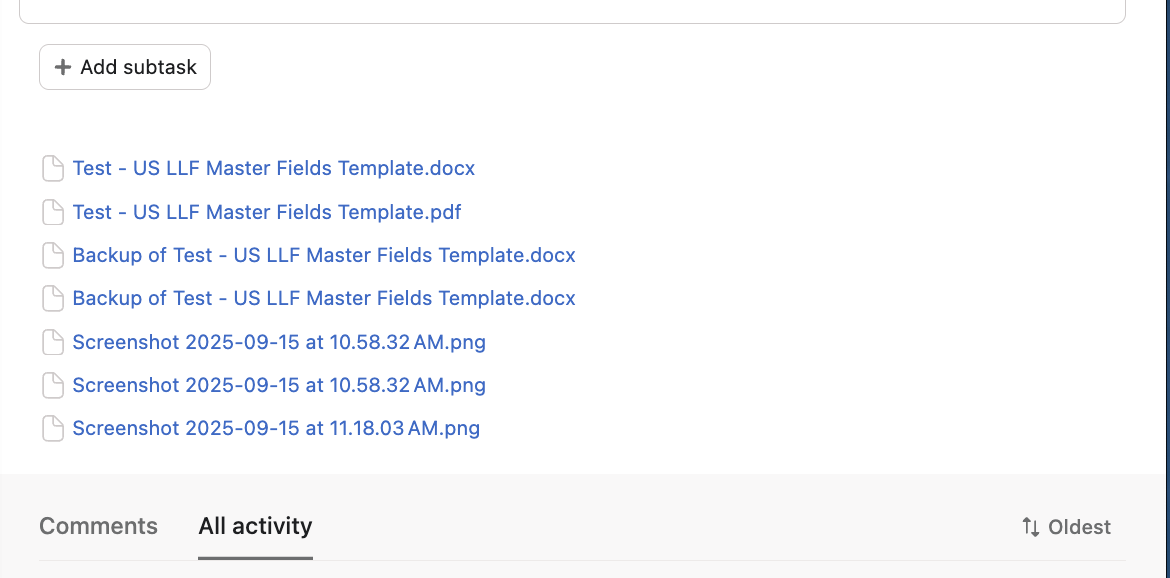
I’d like to be able to select the list view for attachments by default, either on a user level or a project level.
My organization utilizes a large number of screenshots as well as related documents with a standard file-naming convention, but rarely attaches more than six files to a single task. This makes it inefficient and frustrating to select the desired attachment without trial-and-error or digging through the entire comments/activity list. It would be enormously helpful to have the option to display the full filenames collected, regardless of the number of attachments.