We are excited to share a new way to get started in Asana, an AI powered experience that helps you create your first project (or your next one) in a fast and intuitive way.
Instead of starting from a blank page or building a project step by step, you can now describe what you need in your own words, and Asana will spin up a project structure for you. This feature also includes an AI Chat welcome message to guide you through next steps, so you can get moving right away.
How to create a project with AI if you are new to Asana
You can either write your own prompt in the text box and click Create or choose a pre-built prompt.
Create an Asana account.
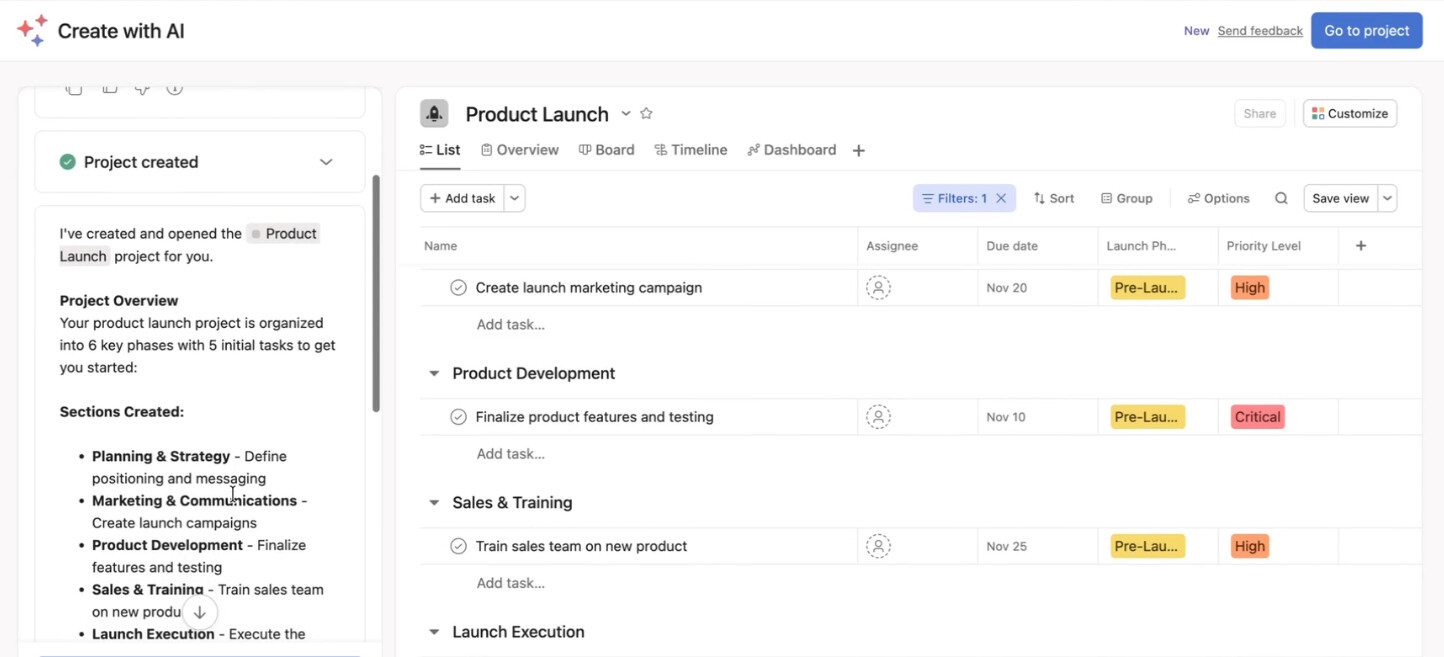
Once your account is set up, you can see your project and begin refining it.
Note: If you are an existing Asana user and are logged into your account, you will be redirected to the product. A trialing or paid account is required to use this feature.
Example use cases
“Plan a product launch for Q1”
“Create a hiring tracker for my team”
“Organize a customer onboarding workflow”
“Build a content calendar for next month”
This feature takes your prompt and turns it into a project layout you can start using right away.
We want to hear from you
As you try out this new feature, let us know what prompts worked well for you and what you would love to see next. Your feedback helps shape the future of this experience.
Hi @Arthur_BEGOU, apologies for any confusion here, I double checked and added the correct steps to the OP:
We are also running an experiment to increase the discoverability of this feature with some new entry points in-product, that’s probably why we both can find it via different ways!
Thanks, @Emily_Roman. I was able to try it now. But underwhelmed creating a project for “invoice approvals” though it did create one, after some coaxing. I’m sure it will improve over time.
• Feels like an upgraded version of Smart Projects, mainly because it can generate tasks automatically. • Limitation with custom fields not from the library still applies. • Nice use case for instantly creating complex forms by pasting questions into the chat • For us, as Asana consultants, that’s very useful for client demos, making it faster to produce structured examples compared to the previous trick using LLM model and CSV import.




 • Feels like an upgraded version of
  • Limitation with custom fields not from the library still applies.