Im using two different phones and getting the same fault on both.
Google pixel 9 pro xl.
Xiaomi Mi 10t pro.
Asana version 8.73.3 (8730300).
I open My Tasks, open a task, then on the rop right where you can press the Sections part with the down arrow,i press that and it only shows 5x sections with no scroll option. Multiple sections are missing.
I had version 8.72.3 (8720300) on one phon and that was working as it should. I upgraded it to the version above and it then had the fault.
I have cleared all data and cache, uninstalled the app, rebooted the phone, reinstalled the app. None of these solved the issue.
Hi everyone, just wanted to let you know our support team confirmed this is a bug and we are currently investigating. We will let you know once it’s fixed! Thanks for your reports here!
@Emily_Roman, I’m afraid it’s still not working for me, and I reported that yesterday to Support on my ongoing email thread with them on this issue and another two with the Android app. Below is what I wrote:
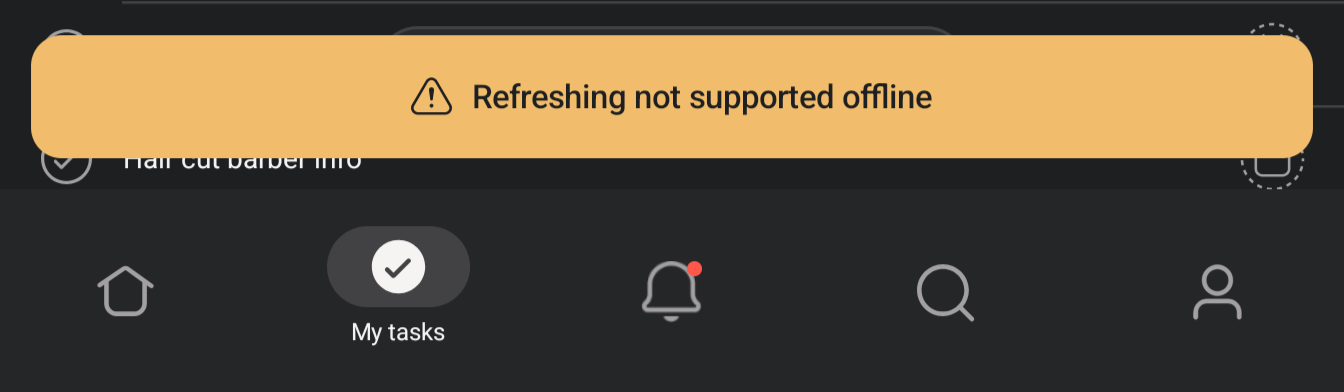
Re fix to sections selections: I tried to test that just now and after tapping the current section and expecting it to show the menu, instead it showed the error message footer below:
I’m definitely not offline, as the top bar indicates, and because I just successfully changed the task’s date, etc., so that’s a new bug for me. I was on 8.76.2, so I updated to 8.76.3, but no change; I repeated the same behavior on that version. Can you please escalate that new issue?
Hi everyone and apologies for the confusion here! It looks like our team was still pushing the fix to production and making the necesary updates on our end so that’s why the issue was not live yet.
I have confirmation that things should be fixed now but could you please confirm? Thanks
I think we have the same phone. I’m on 8.77.3 and it and 8.77.0 seemed to resolve my issues (or they’re in remission now at least!!). I never saw the exact issue you mention here, though I did see something not too dissimilar:
8.72.3 is the only version i can seem to get to work properly. This is the most stable latest version ive tried. Ive since Found that there is a slight error with some sub tasks not showing all the available sections but most show it correctly.
At the time of posting my last message, i had the latest version updated in the google play store.
It doesnt seem to make any difference on my phone type. I have two android phones and both give the same error on the same asana version.
Im using a google pixel 9 pro xl, and a xiaomi mi10t pro.
Ill try the newest asana version on my pixel tomorrow and report back.