Yeah I guess more options for this might be implemented in the future since they hinted additional functionalities will come.
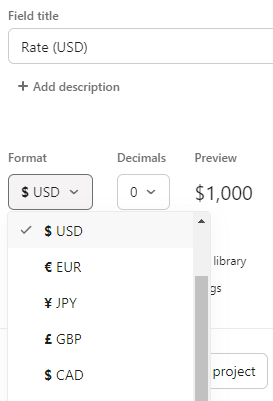
It can show it in dollar value right now (just ensure the rate field is set to a $ field) as I tested it also but the problem is that 45min is considered as 1h for example and if I multiple the hourly rate with the time it calculates it based on the minutes.
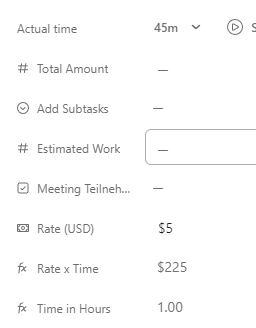
Now one way I got it to work was like this:
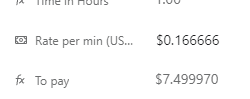
Just as an example let’s assume the hourly rate should be $10. Instead of adding the hourly rate in a field you add the rate per minute which in our example is $0.166
Now set up the formula (rate per minute x total time worked) 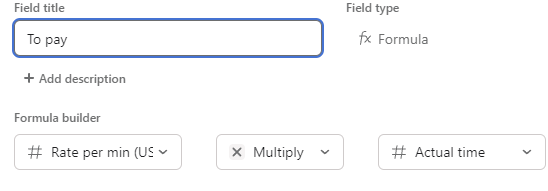
And this way it shows correctly (or let’s say nearly since it should be $7,5 but shows 7,470)
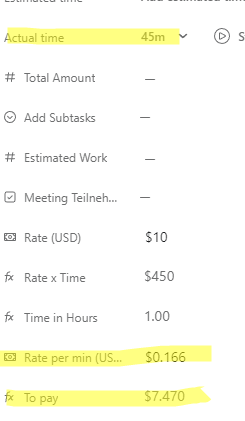
If the field for the rate per minute is set to 6 commas then you have it a lot more accurate and anyway for paying it would be rounded.
How have you set up the rate field? And is the actual time in your case pulled from the time field or a different numeric field you set up?